8 Best AI Apps for Android and iPhone You Should Try Today
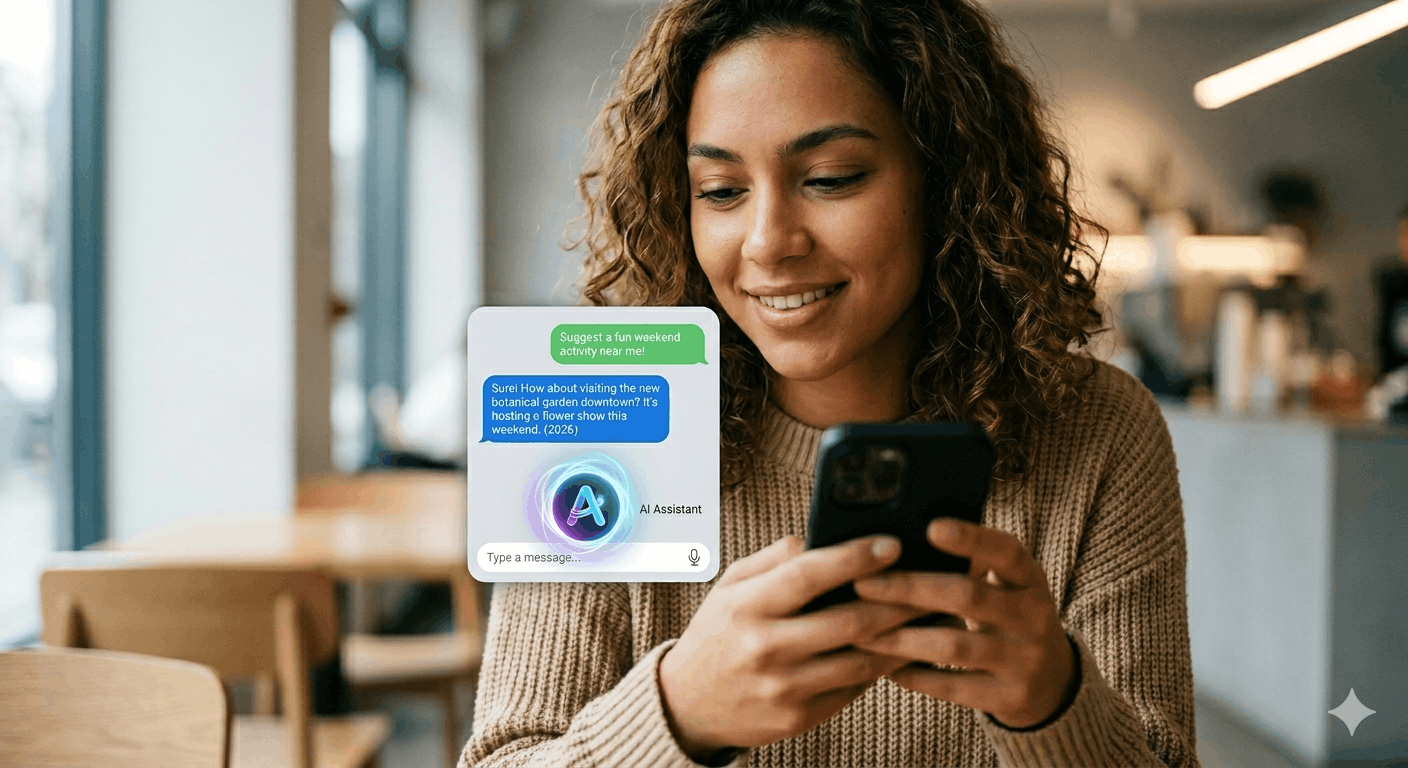
AI is no longer just for computers and big companies. In 2026, some of the most powerful AI tools in the world are available for free on your Android or iPhone. Whether you want to write faster, search smarter, edit photos, or get instant answers to any question there is an AI app for it.
In this post, I will share the 8 best AI apps for Android and iPhone that you can download and start using today.
1. ChatGPT Best All-Round AI App
Available: Android & iOS | Price: Free (Plus $20/month)
ChatGPT is the most popular AI app in the world. Ask it anything, write with it, code with it, brainstorm ideas it handles almost any task.
Best uses:
- Write emails, proposals, blog posts, and social media captions
- Explain complex topics in simple language
- Help with coding and debugging
- Translate text to any language
- Voice mode talk to ChatGPT like a real conversation
How to get it: Search “ChatGPT” on Google Play Store or Apple App Store → install the official OpenAI app → create a free account.
2. Google Gemini Best AI for Google Users
Available: Android & iOS | Price: Free (Advanced $20/month)
Google Gemini is Google’s AI assistant that is deeply integrated with Google services Gmail, Google Docs, Google Drive, and YouTube.
Best uses:
- Summarize long emails in Gmail
- Generate text in Google Docs
- Answer questions with real-time Google Search integration
- Plan trips, write schedules, and organize tasks
- On Android, replace Google Assistant with Gemini for a smarter experience
Best for: Anyone who uses Google Workspace tools regularly.
3. Perplexity AI Best for Research and Search
Available: Android & iOS | Price: Free (Pro $20/month)
Perplexity is like a smarter version of Google Search. Instead of a list of links, it gives you a direct answer with sources perfect for research.
Best uses:
- Research any topic and get a clear, sourced answer
- Compare products, tools, or services
- Get news summaries with sources
- Ask follow-up questions like a conversation
Why it stands out: Every answer includes links to the sources, so you can verify the information.
-
4. Microsoft Copilot Best Free GPT-4 Access
Available: Android & iOS | Price: Free
Microsoft Copilot uses GPT-4 (the same model as ChatGPT Plus) completely for free. If you do not want to pay $20/month for ChatGPT Plus, Copilot gives you GPT-4 level responses at no cost.
Best uses:
- Write and edit documents
- Generate images using DALL-E (free)
- Answer research questions with Bing Search integration
- Help with coding and technical problems
5. Claude Best for Long Documents and Writing
Available: Android & iOS | Price: Free (Pro $20/month)
Claude by Anthropic is excellent for longer, more detailed tasks. It handles large documents, writes in a more natural tone, and is great for detailed analysis.
Best uses:
- Upload a PDF or document and ask questions about it
- Write long-form blog posts and articles
- Analyze business documents or client briefs
- Coding help especially for explaining complex code
6. Canva AI Best for AI Image and Design
Available: Android & iOS | Price: Free (Pro $15/month)
Canva’s AI features on mobile are impressive. Generate images, create designs, remove backgrounds, and write text all powered by AI.
Best AI features:
- Magic Design describe what you want, AI creates it
- Text to Image type a description, AI generates the image
- Background Remover remove any background instantly
- Magic Write AI writes captions, titles, and descriptions for your designs
7. Kling AI Best for AI Video Generation
Available: Android & iOS | Price: Free (limited) / Paid plans available
Kling AI can generate short videos from a text description or turn a photo into a moving video. This is one of the most impressive AI capabilities available on mobile in 2026.
Best uses:
- Create short promotional videos for clients
- Generate social media video content
- Turn product photos into animated videos
- Create faceless YouTube shorts and reels
8. Notion AI Best for Productivity and Organization
Available: Android & iOS | Price: Free (AI add-on $10/month)
Notion with AI is the best productivity app for freelancers and students. Organize your projects, notes, and tasks and use AI to write, summarize, and analyze right inside your notes.
Best uses:
- Summarize long meeting notes with one tap
- Write project updates and client reports using AI
- Organize your entire freelance business in one place
- AI suggests action items from your notes automatically
Quick Comparison
| App | Best For | Free? |
|---|---|---|
| ChatGPT | All-round AI tasks | Yes |
| Google Gemini | Google users | Yes |
| Perplexity | Research & search | Yes |
| Microsoft Copilot | Free GPT-4 access | Yes |
| Claude | Long documents & writing | Yes |
| Canva AI | Design & images | Yes |
| Kling AI | Video generation | Limited |
| Notion AI | Productivity & notes | Yes |
Which App Should You Start With?
- Complete beginner → Start with ChatGPT
- Google user → Start with Google Gemini
- Researcher/student → Start with Perplexity
- Freelancer/writer → Start with Claude or ChatGPT
- Designer → Start with Canva AI
- Content creator → Try Kling AI for videos
Final Thoughts
AI apps have become genuinely useful in 2026 not just gimmicks. Pick 2–3 from this list, use them daily for one week, and you will wonder how you managed without them.
The best part? Most of them are completely free to start.