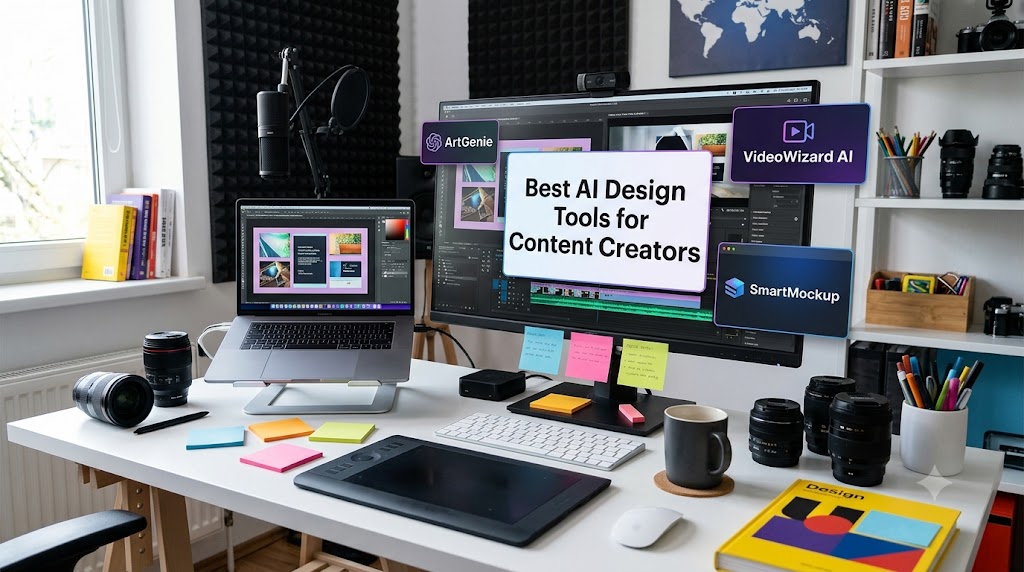
Best AI Design Tools for Content Creators
A few years ago, content creators had two options for design work. Spend hours learning Photoshop and Illustrator. Or pay a designer for every thumbnail, banner, and graphic they needed. Neither option was great for someone who just wanted to focus on creating content.
AI has changed this completely. The design tools available now do not just make designing faster they make genuinely good design accessible to people who have never opened a design app before. Generate a thumbnail from a description. Create a full brand kit in minutes. Remove backgrounds, animate graphics, resize for every platform, and produce scroll-stopping visuals all without a design degree or a designer on payroll.
This guide covers the best AI design tools for content creators specifically not for agencies or enterprise teams, but for YouTubers, bloggers, podcasters, Instagram creators, and anyone building an audience who needs visual content consistently.
What Content Creators Actually Need From a Design Tool
Before listing tools, it is worth being clear about what makes a design tool genuinely useful for a content creator specifically because the needs are different from a graphic designer or a marketing team.
Content creators typically need:
| Need | Why It Matters |
|---|---|
| Speed | You are creating content constantly design cannot be a bottleneck |
| Templates sized for each platform | YouTube thumbnails, Instagram posts, Pinterest pins, and LinkedIn banners all have different sizes |
| Brand consistency | Colours, fonts, and style should stay consistent without manually tracking them |
| No steep learning curve | You are a creator first, not a designer the tool should work around that |
| Affordable or free | Most creators are solo operators without a large design budget |
Every tool below is evaluated against these five criteria, not just raw design capability.
1. Canva AI (canva.com) Best Overall for Content Creators
Free tier: Yes, very generous most creators can run entirely on the free plan
Canva is the default starting point for almost every content creator who does not have a design background, and its AI layer has made it significantly more powerful in the past year.
Key AI features:
- Magic Design describe what you want and Canva generates a full template matching your description
- Magic Edit select any part of an image and describe what you want to change AI replaces it
- Background Remover removes backgrounds from any image in one click (free plan)
- Magic Write AI copywriting built directly into design canvases
- Text to Image generates custom images from a text description directly inside your design
- Magic Resize resizes any design to every platform format simultaneously
Best for: The creator who needs one tool that covers social graphics, thumbnails, presentations, video clips, and print all in one place.
2. Adobe Firefly via Adobe Express (adobe.com/express) Best for Commercially Safe AI Images
Free tier: Yes, free plan with generous monthly credits
Adobe Firefly is the only major AI image generator trained exclusively on licensed Adobe Stock images meaning every image it generates is safe to use commercially without copyright concerns, which matters for creators monetising their content.
Key AI features:
- Generative Fill fill or replace any part of an image with AI-generated content
- Text to Image generate original images from detailed descriptions
- Text Effects generate stylised text with AI-designed visual effects built in
- Background Generation replace or create entirely new backgrounds for product or portrait images
Best for: Creators who monetise their content through brand deals, merchandise, or commercial projects and need design assets that are 100% clear for commercial use.
3. Midjourney (midjourney.com) Best for Highest Quality AI Image Generation
Free tier: No permanent free tier paid subscription required
Midjourney produces the highest quality AI-generated images available to the general public right now. The gap between Midjourney’s output and most other image generators is visible to the naked eye richer detail, more coherent composition, and more consistent style.
Key AI features:
- Text-to-image generation with extraordinary visual quality
- Style consistency features that let you generate multiple images that look like they came from the same visual universe
- Reference image inputs to guide style and composition
How to access: Via Discord type prompts in a Midjourney Discord channel and images generate in the thread.
Best for: Creators who want the highest possible image quality for thumbnails, cover art, or editorial visuals and are willing to pay for it.
4. Leonardo AI (leonardo.ai) Best Free Alternative to Midjourney
Free tier: Yes, 150 free credits per day genuinely usable without paying
Leonardo AI produces images that rival Midjourney in many styles, with a more accessible web interface and a generous free daily credit allowance that makes it the best free option for creators who need high-quality AI images regularly.
Key AI features:
- Text-to-image generation across dozens of style presets
- Image-to-image transformation upload a reference and generate variations
- Canvas editor for inpainting and outpainting (extending or modifying specific areas)
- Consistent character generation across multiple images useful for creators building a visual series
Best for: Creators who want Midjourney-quality results without the subscription cost the free tier is genuinely workable for regular use.
5. Adobe Podcast AI (podcast.adobe.com) Best for Audio-to-Visual Content
Free tier: Yes, free access to core features including Enhance Speech
Adobe Podcast’s AI speech enhancement feature is specifically useful for creators who record voiceovers for their visual content it removes background noise and enhances audio quality to studio standard from a laptop microphone recording, which then pairs with cleaner-produced visuals.
Key AI features:
- Enhance Speech removes background noise, echo, and room sound from any recording
- Mic Check real-time AI feedback on recording environment before you start
Best for: YouTubers, course creators, and video content makers who want their audio quality to match their visual quality without investing in expensive studio equipment.
6. Looka (looka.com) Best for AI Brand Kit Generation
Free tier: Free logo preview, paid for full download and brand kit
Looka uses AI to generate a complete brand identity logo, colour palette, font pairing, and brand guidelines from a few questions about your content style and preferences. For a creator launching or rebranding, it replaces hundreds of dollars worth of branding work.
Key AI features:
- Logo generation across multiple style options from a single brief
- Complete brand kit including colour codes, font files, and usage guidelines
- Brand kit application to social media templates
Best for: New creators building their brand identity from scratch, or established creators who want a more professional and consistent visual identity without hiring a brand designer.
7. Remove.bg (remove.bg) Best for Instant Background Removal
Free tier: Yes, free for low-resolution downloads paid for high-resolution
Remove.bg does one thing and does it exceptionally well removes the background from any image in seconds using AI. For creators, this is useful for product shots, profile photos, thumbnail design, and anywhere you need a clean subject on a custom background.
Key AI features:
- One-click AI background removal with clean edge detection
- Replace background with colour, pattern, or custom image directly in the tool
Best for: Any creator who regularly needs clean product, portrait, or object shots on custom backgrounds the free tier handles most casual use cases.
8. Kling AI / Runway (runwayml.com) Best for Animating Still Images into Video
Free tier: Runway offers limited free credits, Kling AI has a free tier
Both tools can take a still image one you designed in Canva or generated in Midjourney and animate it into a short video clip with realistic motion. For creators, this turns static graphics into moving content without video production skills.
Key AI features:
- Image-to-video generation a still image becomes a few seconds of animated footage
- Text-to-video generation describe a scene and AI generates the clip
- Motion brush paint which parts of an image should move and which should stay still
Best for: Creators who want to repurpose static designs as animated social media content or add motion to otherwise still visual assets.
9. Ideogram (ideogram.ai) Best for Text Inside AI Images
Free tier: Yes, generous free tier
Ideogram solves one of the longest-standing problems with AI image generation text inside images. Most AI tools produce unreadable, garbled text when you ask them to include words in an image. Ideogram is specifically built to generate readable, well-styled text inside AI images, which is directly useful for quote graphics, announcement posts, and branded content.
Key AI features:
- Text-to-image with accurate, readable text rendered inside the image
- Style presets optimised for typography-heavy designs
- Logo and badge generation with text included
Best for: Creators who regularly post quote graphics, announcement images, or any visual content where text needs to appear inside the image itself rather than overlaid afterward.
10. Kapwing (kapwing.com) Best for AI Video Editing and Repurposing
Free tier: Yes, free plan with watermark paid removes watermark
Kapwing is an online video editor with strong AI features specifically useful for content creators auto-subtitles, background removal from video, smart video resizing for different platforms, and an AI clip finder that identifies the most engaging moments in a long video.
Key AI features:
- Auto Subtitles generates accurate captions for any video automatically
- Smart Cut removes silences and filler words from video automatically
- Resize reformats any video for every platform in one click
- Background Removal removes video backgrounds without a green screen
Best for: Video content creators who need fast editing with AI assistance particularly useful for short-form creators repurposing longer videos into clips.
Quick Comparison Table
| Tool | Category | Free Tier | Best For |
|---|---|---|---|
| Canva AI | All-in-one design | Generous free plan | General content creator design needs |
| Adobe Firefly / Express | AI image generation | Free with credits | Commercially safe images |
| Midjourney | AI image generation | No free tier | Highest quality image output |
| Leonardo AI | AI image generation | 150 credits/day free | Free Midjourney alternative |
| Adobe Podcast AI | Audio enhancement | Free core features | Voiceover and audio quality |
| Looka | Brand identity | Free preview | Building a complete brand kit |
| Remove.bg | Background removal | Free low-res | Clean product and portrait shots |
| Runway / Kling AI | Image to video | Limited free credits | Animating still images |
| Ideogram | Text in images | Generous free tier | Quote graphics, text-heavy visuals |
| Kapwing | Video editing | Free with watermark | Short-form video creation and repurposing |
The Best Free Stack for a Content Creator Starting Out
If you are just starting and want to cover all your design needs without spending anything:
| Need | Free Tool |
|---|---|
| Social graphics and thumbnails | Canva AI free plan |
| High quality AI images | Leonardo AI (150 free credits/day) |
| Text inside AI images | Ideogram free tier |
| Background removal | Remove.bg free tier |
| Video captions and resizing | Kapwing free plan |
| Audio quality for voiceovers | Adobe Podcast AI Enhance Speech |
This stack costs nothing and covers the visual and audio design needs of most solo content creators running a blog, YouTube channel, or social media presence.
How to Choose Based on Your Content Type
| Content Type | Tools to Prioritise |
|---|---|
| YouTuber | Canva AI (thumbnails) + Kapwing (captions, clips) + Leonardo AI (custom visuals) |
| Instagram / TikTok creator | Canva AI + Ideogram (quote graphics) + Runway (animated clips) |
| Blogger / writer | Canva AI + Leonardo AI or Adobe Firefly (featured images) |
| Podcaster | Adobe Podcast AI + Canva AI (cover art, audiograms) |
| Course creator | Canva AI + Looka (brand kit) + Kapwing (video editing) |
| New creator building brand | Looka (brand identity) + Canva AI (all templates) |
The Bottom Line
The design gap between a solo content creator and a brand with a full creative team has narrowed dramatically. The tools above many of them free now handle tasks that used to require a designer, a video editor, and a brand strategist.
That does not mean design is effortless. You still need to develop an eye for what looks good, understand your audience’s visual expectations, and invest time in building a consistent style. What AI removes is the technical barrier the hours spent learning software, the cost of hiring help, and the bottleneck of waiting for assets before you can publish.
Start with Canva AI if you are not already using it. Add Leonardo AI for custom images. Install Kapwing if you produce video. Build from there based on what you actually need more of.